Free AI Study Guide Maker
Turn your notes, textbooks, and lectures into organized study guides in seconds. Paste your material or describe the topic and let AI do the rest.
Upload an image of your notes or textbook page
Building your study guide...
HomeworkO is an AI homework helper that provides step-by-step answers, writing support, flashcards, and quizzes for students. On this page, the AI study guide maker helps students convert messy notes and course materials into clear, exam-ready study guides.
Quick answer: An AI study guide maker turns class notes, textbook sections, lecture transcripts, or pasted material into an organized review guide with key ideas, definitions, examples, and practice prompts. Students can use it to reduce clutter, find what matters, and prepare for tests with active recall instead of rereading everything.
What Is an AI Study Guide Maker?
An AI study guide maker is a tool that uses artificial intelligence to transform unstructured academic material into organized, easy-to-review study guides. Students provide notes, textbook passages, lecture content, or simply a topic name, and the AI produces a formatted guide with headings, key concepts, definitions, and summary points. The study guide generator handles any subject area and adapts its output structure to match the material provided.
HomeworkO's free AI study guide maker runs in the browser with no account required. It accepts both typed input and uploaded images of handwritten notes or textbook pages. The tool uses advanced language models to identify the most important information, organize it logically, and present it in a format designed for efficient review. Students get 5 free uses per day, with unlimited access available through the AI Homework Helper on iOS and Android. AI-generated study guides summarize the material provided and may not cover all exam topics. Users should verify completeness against their course syllabus and lecture notes.
Your Notes Are Useless If You Can't Find Anything
You took three pages of notes during the lecture. Good. Now it's the night before the exam and you're staring at a wall of disorganized text with no headings, no structure, and half of it is abbreviations you no longer remember. Sound familiar?
The study guide generator takes that chaos and turns it into something you can actually study from. It groups related concepts together, pulls out the key terms, and builds a logical flow from introduction to conclusion. The difference between reading a messy notebook and reading a structured guide is the difference between cramming and studying.
This isn't about replacing your notes. It's about making them useful when it counts. Paste in what you have, and the AI does the organizing so you can focus on actually learning the material.
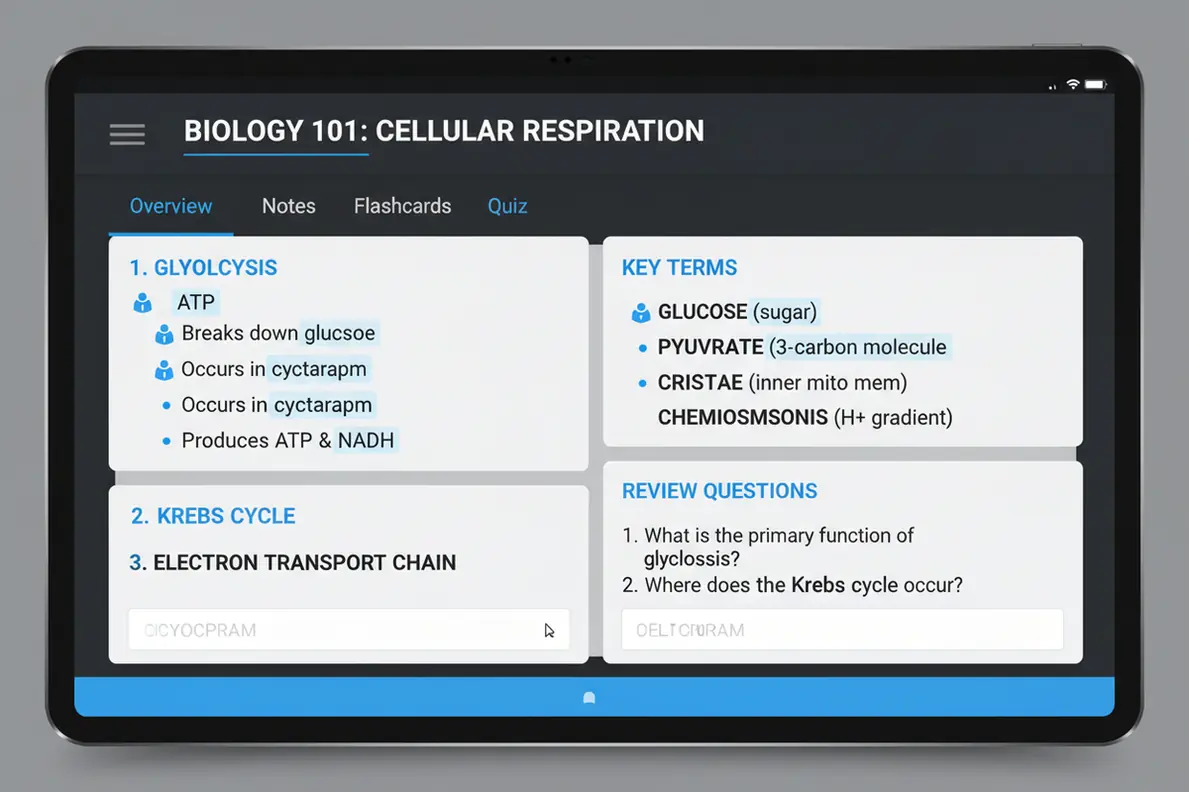
How to Use the AI Study Guide Maker
Create a complete study guide in three steps.
Input Your Material
Paste your class notes, textbook excerpts, or lecture content into the text box. You can also upload a photo of handwritten notes or a textbook page. Alternatively, just type in a topic like "World War II causes and effects."
AI Organizes Everything
The AI study guide maker analyzes your input, identifies the key topics and subtopics, and structures them into a logical study guide with headings, definitions, and summary points.
Review and Study
Read through your organized study guide. Use the structured format to review key concepts, test yourself on definitions, and identify areas where you need more practice before the exam.
From Textbook Chapters to Exam-Ready Summaries
Reading a 40-page chapter the night before an exam is a bad strategy, but it's what most students end up doing. The AI study guide maker condenses long-form content into the information that actually matters — the concepts your professor emphasized, the terms that keep showing up, the connections between ideas that exam questions test.
Feed it a chapter, a set of lecture slides, or even a list of topics from the syllabus. The output gives you a focused review sheet instead of a reread. Students who've used structured study guides consistently perform better on exams because the format forces active engagement with the material rather than passive re-reading.
What Makes This Study Guide Generator Different
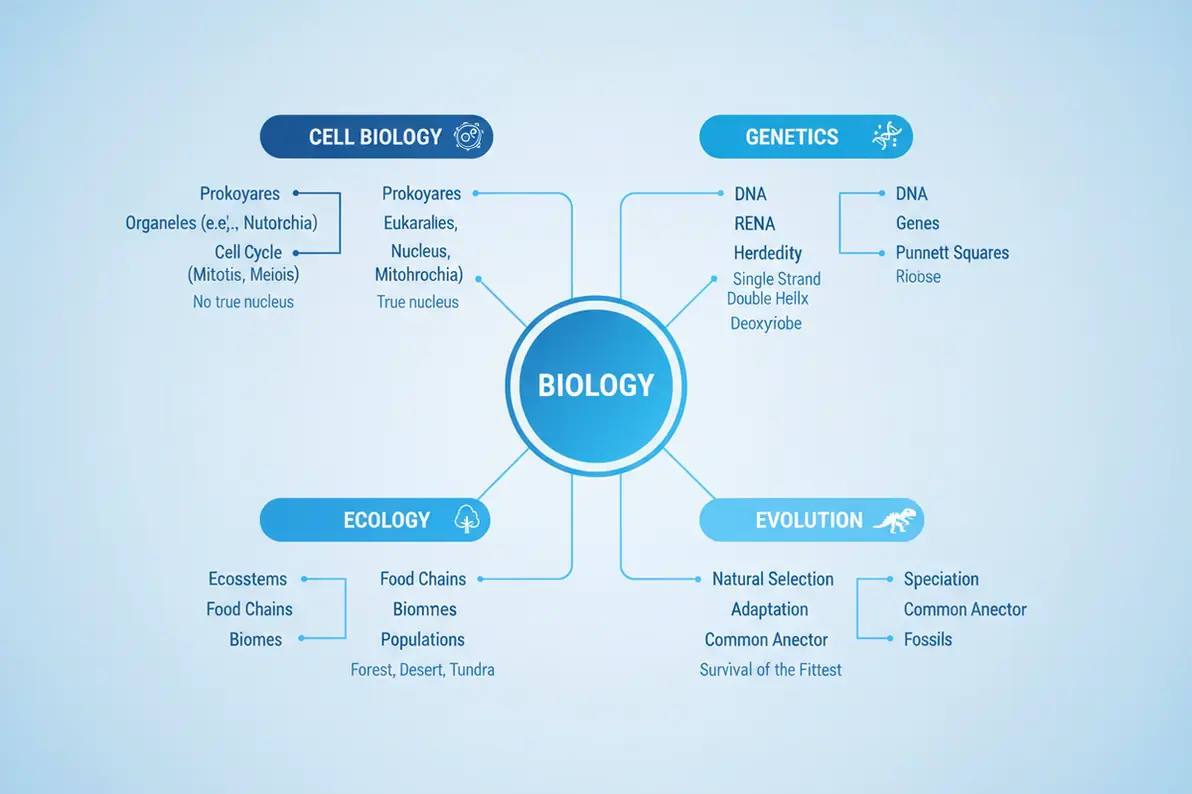
Most "study guide" tools just bullet-point your text. This one actually restructures the information. The AI identifies hierarchical relationships between concepts, groups related terms together, and creates section headers that map to the way exams typically test material. You get a guide that mirrors how the subject is actually taught, not just a condensed version of your notes.
The study guide maker also works from minimal input. Type "photosynthesis" and you'll get a complete guide covering the light reactions, the Calvin cycle, key vocabulary, and common exam questions. That's useful when you missed a lecture or need a quick refresher on a topic you covered weeks ago. It handles both broad overviews and narrow, specific topics with the same level of structure.
Pair Your Study Guide with Flashcards and Quizzes
A study guide gives you the map. Flashcards and practice quizzes test whether you've actually internalized the territory. The best study sessions use all three: review the guide to understand the material, drill the flashcards to memorize key terms, and take a practice quiz to identify weak spots.
HomeworkO's flashcard maker and quiz generator work alongside the study guide maker. Generate your guide first, then create flashcards for the key terms it identifies, and finish with a practice quiz to test your retention. This three-step approach covers comprehension, memorization, and application — the three things exams actually measure.

Study Guides for Every Subject and Level
The AI study guide maker adapts to what you give it. A biology student pasting in genetics notes gets a guide organized around Mendelian inheritance, Punnett squares, and DNA replication. A history student typing "causes of World War I" gets a chronological breakdown of alliances, nationalism, imperialism, and the assassination of Archduke Franz Ferdinand. The output matches the subject's natural structure.
It works for middle school through graduate-level material. The AI adjusts vocabulary and depth based on the complexity of the input. Simple topic names produce comprehensive overviews. Detailed notes produce focused, exam-specific review sheets. Whether you're studying for a weekly quiz or a final exam, the study guide generator creates material at the right level of detail for effective review.
AI Study Guides for Group Study and Tutoring Sessions
Study groups are most productive when everyone works from the same organized material. The problem is that each person's notes cover different parts of the lecture, use different abbreviations, and emphasize different points. Merging five people's notes into one coherent review sheet usually takes longer than the actual study session.
The AI study guide maker solves that coordination problem. Have each group member paste their notes into the tool separately, then compare the generated guides to identify what each person captured and what everyone missed. Or compile all notes into one input and generate a comprehensive master guide that the entire group can study from. Tutoring sessions benefit from the same approach — the tutor can generate a study guide from the material the student is struggling with and use it as a structured roadmap for the session. Instead of jumping between topics reactively, the organized format keeps the session focused and productive. Students who share AI-generated study guides report that their group study sessions are more efficient and cover material more thoroughly because everyone starts from the same structured foundation rather than fragmented individual notes.
Using AI Study Guides Responsibly
How NOT to Use AI Tools
- ❌ Study only what the AI guide covers and skip the rest
- ❌ Assume the guide includes every testable topic
- ❌ Memorize summaries without understanding the material
- ❌ Ignore your professor's review sheets and outlines
- ❌ Skip active recall and just re-read the guide
How to Use AI Tools Effectively
- ✅ Compare the AI guide against your course syllabus
- ✅ Use the guide as a framework, then fill in gaps
- ✅ Test yourself on the material, don't just re-read
- ✅ Supplement with lecture notes and textbook chapters
- ✅ Treat AI guides as a starting point for review
What Students Are Saying
Frequently Asked Questions
How to Use the AI Study Guide Maker
A good study guide should organize information, highlight what is testable, and help you practice retrieval. Instead of only summarizing, use the guide as a starting point for questions, flashcards, worked examples, and short self-checks.
- Paste notes, lecture outlines, textbook excerpts, or class handouts, and include the subject, grade level, and upcoming test format when possible.
- Ask for a structured guide with headings such as key concepts, vocabulary, formulas, timelines, common errors, and sample questions.
- For math and science, request worked examples and step-by-step explanations so you can see the reasoning, not just the final answer.
- Use the guide for active recall by covering the answers and trying to explain terms, processes, or problem steps from memory.
- Turn key points into flashcards and review them with spaced repetition over several days instead of cramming the night before.
- Check the final guide against your teacher’s rubric, syllabus, or textbook because AI can miss details or overemphasize less important material.
Which option fits which need
| Need | Best option |
|---|---|
| Create a broad study guide from notes, lectures, textbook passages, or mixed subjects | HomeworkO for organized summaries, step-by-step explanations, flashcards, quizzes, and general study support |
| Solve math problems from typed equations or photos and understand the procedure | Photomath for camera-based math help; Wolfram Alpha for symbolic reasoning, advanced computation, and graphing |
| Get quick explanations for homework questions across subjects using a phone camera | Socratic for fast concept overviews with OCR and optical character recognition, especially for short questions |
| Memorize vocabulary, facts, dates, formulas, or definitions after the guide is created | Quizlet for flashcard drilling and retrieval practice; Chegg can help with textbook-style study support when used within school policy |
Common Study Guide Mistakes
- Copying every sentence from the textbook instead of selecting the ideas, examples, and terms most likely to appear on the test.
- Using AI summaries without checking them against class notes, teacher slides, assigned readings, or the exam review sheet.
- Only rereading the guide, which feels productive but is weaker than retrieval practice, practice problems, and self-quizzing.
- Making the guide too long, which increases cognitive load and makes it harder to see the main patterns.
- Skipping worked examples in math and science, even though seeing the steps is often more useful than memorizing a formula.
- Waiting until the night before the exam instead of reviewing in spaced sessions and using formative assessment to find weak areas early.
Limitations to know
- AI can misunderstand unclear notes, poor scans, abbreviations, or handwriting recognition results, so important details may need correction.
- A generated study guide may not match your teacher’s priorities unless you include the rubric, learning targets, or exam format.
- For advanced math, chemistry, or physics, AI explanations should be checked carefully because small symbolic reasoning errors can change the answer.
- A study guide cannot replace doing practice problems, writing outlines, or explaining ideas in your own words.
- Follow your school’s academic integrity policy, especially if AI use is limited for take-home assignments or graded study materials.
An AI study guide maker is useful when your notes are scattered, your textbook chapter is dense, or you need a clearer path from information to exam review. Use it to organize material, reduce cognitive load, create practice questions, and support active recall, but do not treat it as a perfect substitute for class instructions, teacher feedback, or your own thinking. HomeworkO helps by combining study guide creation with step-by-step explanations, flashcards, and quizzes so students can review, practice, and check understanding in one workflow.
An AI study guide maker uses artificial intelligence to organize and summarize academic material into structured guides. Users input notes or topic descriptions and receive organized guides with key concepts and definitions.
The AI processes your input, identifies main topics and subtopics, and arranges them logically. It extracts key terms and facts, then formats them into a readable guide with headings and bullet points.
HomeworkO offers 5 free uses per day with no signup. For unlimited access, the HomeworkO app is available on iOS and Android.
It works with any academic subject including math, science, history, literature, economics, psychology, and computer science. It adapts the format to the subject matter.
Yes. Paste your class notes, textbook excerpts, or lecture summaries into the tool. The AI reorganizes and condenses the material into a structured guide.
The AI typically generates a complete guide in 15 to 30 seconds. Longer inputs may take slightly more time to process.
Yes. You can upload images of handwritten notes, textbook pages, or lecture slides. The AI reads the content and converts it into an organized study guide.
They are accurate for standard academic topics. Verify the output against your course materials for completeness.
Yes. Study guides organize key concepts and definitions into a format that supports focused studying and quick revision.
Study guides use a structured narrative format with headings and explanations. Flashcards use question-and-answer pairs for active recall. Both serve different purposes.