Free AI Math Solver
Solve any math problem with step-by-step explanations. Type your equation or snap a photo of your homework in the app and get a step-by-step solution in seconds.


- Free to download
- iPhone, iPad & Android
- Snap, scan or type
- Steps shown, not just answers
Short answer. An AI math solver is a tool that reads a typed or photographed math problem and returns a step-by-step explanation instead of only a final answer. The best option for students is a mobile app like HomeworkO, free to download on iPhone, iPad, and Android, which identifies the topic and explains each step in seconds.
What Is an AI Math Solver?
An AI math solver is a tool that uses artificial intelligence to process mathematical problems and generate step-by-step solutions. Users input equations, expressions, or word problems as text or images, and the AI returns a structured breakdown of each solving step. AI math solvers cover arithmetic, algebra, geometry, trigonometry, precalculus, calculus, and statistics. The technology relies on large language models trained on extensive mathematical datasets to interpret problem types and apply the correct solving methods.
HomeworkO's free AI math solver accepts typed equations and uploaded photos of handwritten problems. It uses a large language model to analyze each problem and produce step-by-step explanations. The tool supports all standard math topics from basic arithmetic through college-level calculus. The solver is only available in the mobile app, which is free to download. Solving happens in the AI Homework Helper on iOS and Android. AI-generated math solutions should be verified against course materials. The tool does not replace instruction from qualified math educators.
Math AI That Actually Shows the Work
Getting the answer is the easy part. Understanding how to get there, that's where most students hit a wall. You stare at the solution in the back of the textbook and it might as well be written in another language. No intermediate steps. No explanation of why you multiply before you divide.
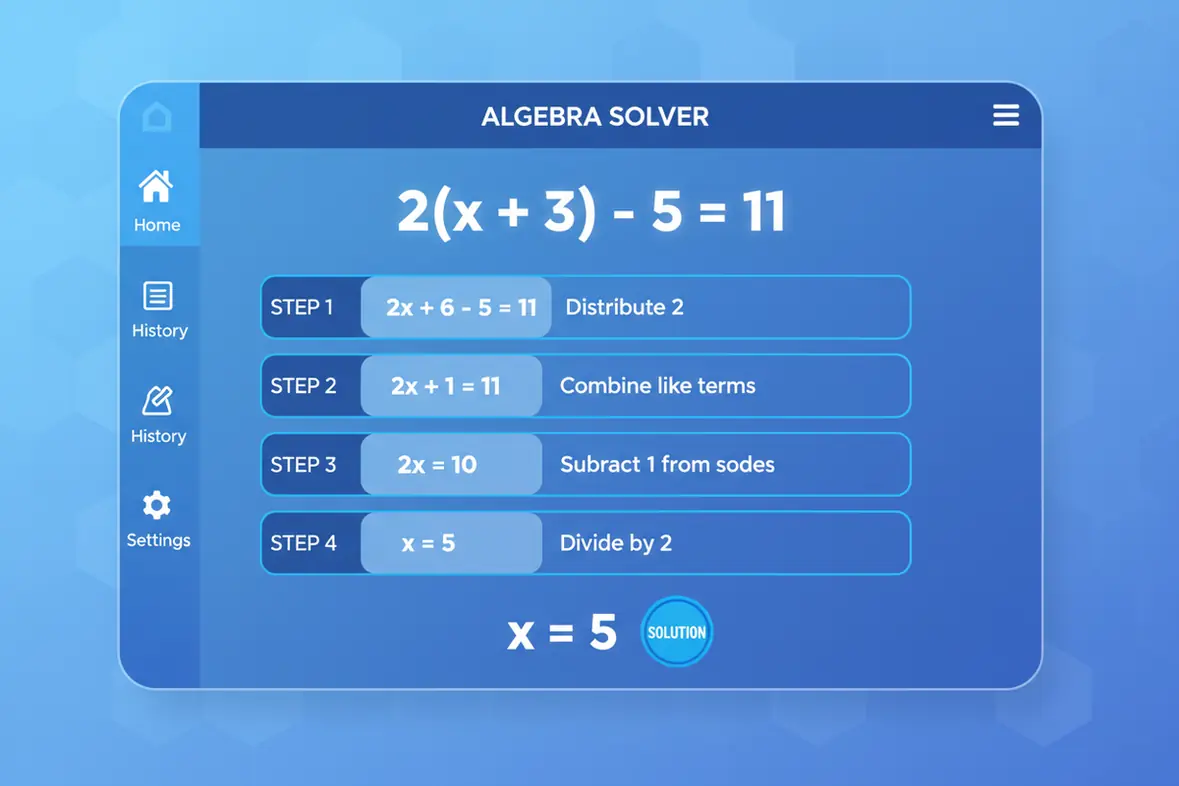
HomeworkO's math solver breaks every problem into individual steps with plain-English explanations. You see each algebraic manipulation, each substitution, each simplification as it happens. It's the difference between memorizing an answer and actually learning the method so you can solve the next ten problems on your own.
Whether you're factoring polynomials at 11 PM or working through a geometry proof before class, the AI maths solver is available whenever you need it. No appointments, no waiting.
How to Use the AI Math Solver
Get your math solution in three simple steps.
Enter Your Math Problem
Type your equation, expression, or word problem into the app. You can also snap a photo of a handwritten or printed math problem. The AI reads both formats.
AI Solves Step by Step
The math AI identifies the problem type, selects the correct method, and works through each step. You get a complete solution with explanations for every operation.
Review the Solution
Read through each step, understand the method, and apply the same approach to similar problems. Use the solution as a learning tool for math help that sticks.
Every Type of Math Problem, Solved
Algebra homework doesn't care that you also have a history essay due. And that geometry proof isn't going to wait until you've finished your chemistry lab. Math piles up fast, and every topic has its own set of rules and methods.
The math solver handles it all. Linear equations, quadratic formulas, systems of equations, polynomial factoring, trigonometric identities, derivatives, integrals, and more. Each solution follows the same step-by-step format so you always know exactly what's happening and why. The AI adapts its explanation style to the topic, algebraic manipulations get one treatment, geometric proofs get another.

MathGPT-Level Intelligence, Zero Cost
You've probably seen tools marketed as MathGPT or AI math assistants that charge $20 a month for the privilege of solving your homework. HomeworkO gives you the same AI math capabilities without the subscription. The model powering the solver is trained on the same mathematical reasoning benchmarks, it handles symbolic manipulation, numerical computation, and natural language word problems equally well.
What actually matters is whether the explanations are clear enough to learn from. A correct answer with no context is useless if you need to solve a similar problem on tomorrow's exam. That's why every solution from HomeworkO's math solver includes not just the answer, but the reasoning chain that gets you there. It's math help designed for understanding, not just completion.
Snap a Photo and Get Math Help Instantly
Sometimes the problem is on a worksheet, not a screen. Maybe your teacher handed out a printed packet, or you're working from a textbook with no digital version. Retyping a long equation is tedious and error-prone, one wrong exponent and you're solving the wrong problem entirely.
Just take a photo. HomeworkO's math solver reads handwritten and printed equations using computer vision, then solves them with the same step-by-step detail as typed problems. Point your phone, snap the picture, upload it, and the AI does the rest. It works with clean handwriting and standard printed text. Blurry or heavily stylized writing may need a retake.

How AI Math Help Prepares You for Test Day
Exam problems rarely look like the examples in the textbook. They're rephrased, combined, or presented in unfamiliar contexts. That's the part students struggle with most, not the math itself, but recognizing which technique applies when the problem doesn't announce it. The AI math solver helps close that gap because every solution starts by identifying the problem type before diving into calculations. After reviewing enough solutions, you start to see the patterns: the way a quadratic word problem signals completing the square, how a rate problem maps to a system of linear equations, or when a geometry question calls for the Pythagorean theorem versus trigonometry.
Build a habit of working problems first and checking your solution against the AI math solver's output afterward. When your answer matches, you've confirmed the method. When it doesn't, you can compare step by step to see where the reasoning diverged. That comparison process is the most efficient way to build problem-solving confidence before an algebra midterm, a geometry final, or any standardized math test. Students who practice this way consistently report spending less time per problem on actual exams because the setup process becomes automatic. The math solver doesn't replace practice, it makes every practice problem more productive by giving you immediate, structured feedback on your approach and calculations.
Using AI Math Tools Responsibly
How NOT to Use AI Tools
- ❌ Copy solutions without studying the steps
- ❌ Submit AI-solved homework as hand-worked
- ❌ Skip practice problems
- ❌ Ignore your teacher's methods
- ❌ Assume every calculation is error-free
How to Use AI Tools Effectively
- ✅ Work the problem first, then compare with AI
- ✅ Study each step in the solution
- ✅ Verify answers with your textbook
- ✅ Use AI to learn solving methods
- ✅ Treat AI as a study partner, not a shortcut
A worked example you can test yourself
A good way to judge any math solver is to feed it a problem you already know the answer to. Try this one. Solve 3x + 7 = 22.
A solver that teaches should give you steps close to these.
- Subtract 7 from both sides to isolate the x term. That gives 3x = 15.
- Divide both sides by 3. That gives x = 5.
- Check by substituting. 3(5) + 7 = 15 + 7 = 22, so the answer holds.
Notice the third step. A weak explanation stops at x = 5. A useful one checks the answer, and if the app skips it, you can ask for it in a follow-up message.
For a harder test, try x² - 5x + 6 = 0. The factors are (x - 2)(x - 3), so x = 2 or x = 3. If you only see one answer, the solution is incomplete.
You can run these in the math solver app for iPhone, then compare the steps with how your teacher sets up the same type of problem.
Common mistakes and how to fix them
Most wrong answers I see come from the input, not the math. The app can only solve what it reads, so a small framing error changes the whole problem.
| Mistake | Fix |
|---|---|
| Photo has several problems on the page | Crop to one problem per photo |
| Shadow or glare covers an exponent | Retake in even light, held flat |
| A minus sign is read as a dash or lost | Zoom in and check the typed version before solving |
| Word problem is cut off at the top | Include the full question and any given values |
| Answer looks odd, such as a negative length | Ask the app to explain the step, then verify against your textbook |
Ambiguous or very complex problems can still produce errors, so treat every result as a draft to verify. Plug the answer back into the original equation, and check units on word problems.
If you are on a Pixel or Galaxy phone, the photo math solver on Android works the same way. Keep the camera steady and the page flat.
Frequently Asked Questions
Common mistakes when using an AI math solver
- Copying the final answer without reading the step-by-step explanation, which weakens long-term understanding.
- Uploading a blurry or cropped photo, causing OCR or handwriting recognition to misread numbers, exponents, or minus signs.
- Not checking whether the AI interpreted the problem correctly, especially for fractions, radicals, graphs, and geometry diagrams.
- Using the solver on graded work when a teacher’s academic integrity policy does not allow outside tools.
- Skipping practice after seeing one worked example; real learning improves through retrieval practice and spaced repetition.
- Treating every AI answer as guaranteed correct instead of verifying units, restrictions, domain, and reasonableness.
An AI math solver uses artificial intelligence to solve mathematical problems and show step-by-step explanations. Users enter equations or word problems as text or images.
The solver handles arithmetic, algebra, geometry, trigonometry, precalculus, calculus, and statistics. It solves equations, simplifies expressions, factors polynomials, and computes derivatives and integrals.
Type your math problem into the app or snap a photo of it. Click solve and the AI generates a step-by-step solution. The app is free to download on the App Store and Google Play.
HomeworkO is free to download on iPhone, iPad, and Android, and the solver lives in the app. Unlimited math solving is available through the HomeworkO app on iOS and Android.
Yes. Every solution shows each stage of the solving process. Each step includes the operation performed and a brief explanation of why.
Yes. The solver accepts photos of handwritten or printed math problems. Clear, well-lit photos produce the best results.
Accuracy is highest for well-formed equations and clearly stated problems. Complex or ambiguous problems may occasionally produce errors. Users should verify results.
Yes. The solver interprets word problems, identifies the relevant equations, and solves step by step. It handles word problems from arithmetic through calculus level.
A calculator performs numerical computations and returns a single answer. An AI math solver interprets the full problem, solves it step by step, and explains each operation.
Yes. Reviewing step-by-step solutions helps you understand methods and recognize patterns. It is most effective when used to check your own work.